Codex Adds Stronger Git and Parallel-Development Workflows
Published by Lance Adhikari on July 15, 2026 · 6 min read
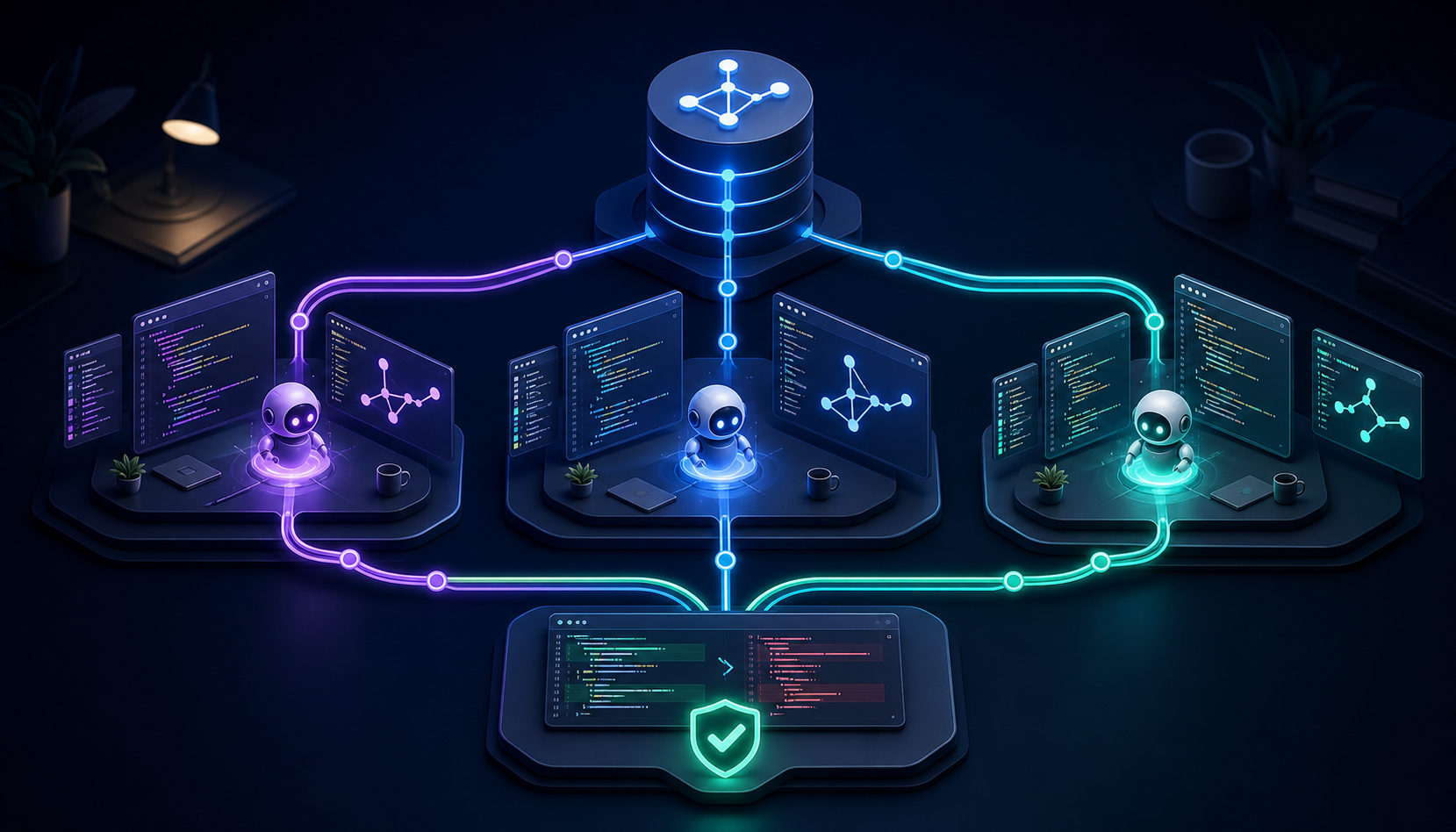
AI coding tools began as assistants that could suggest the next line or complete a small function. Their role is becoming much larger. Modern coding agents can inspect repositories, work on separate tasks, review changes, run tools, and coordinate work across branches.
Recent Codex updates show this shift clearly. The result is not an automatic replacement for a developer. It is a more capable development environment in which people can delegate work while keeping control of the repository and the final decisions.
What Happened?
OpenAI's Codex changelog announced that Remote on iOS can choose a starting branch, create a Git worktree, run an environment-setup script, manage goals, and add inline review comments. These mobile additions connect to broader Codex workflows already available for repository work in the desktop app and other Codex surfaces.
Each capability supports a different part of a real development process:
- Branch selection lets a task begin from the correct version of the project.
- Git worktrees isolate tasks in separate folders so work can continue without disturbing the main checkout.
- Setup scripts install dependencies or run an initial build when a new worktree is created.
- Inline comments attach review feedback to exact lines in a diff.
- Multi-agent workflows divide independent work among specialized agents and combine their results.
Why It Matters
Software development is rarely one isolated coding problem. A feature may require repository exploration, implementation, tests, documentation, security review, and integration with existing code. When every activity happens in one folder and one conversation, the work can become crowded and changes can interfere with one another.
Stronger Git integration gives an AI coding agent a safer structure for repository-scale work. One task can investigate a bug while another prepares tests, each using a different checkout. A reviewer can then inspect the resulting diff and leave feedback on the exact lines that need attention.
This structure can improve speed and organization, but it does not remove developer responsibility. Every proposed change still needs to be understood, tested, reviewed, and integrated carefully.
Connected Computer Science Concept: Concurrent Development
Concurrent development means that multiple developers, tasks, or agents make progress on separate parts of a project during overlapping periods of time. The work does not always execute at precisely the same instant, but the tasks remain active and advance independently.
Parallel development is the closely related case where work happens at the same time. For example, one agent might inspect a codebase for security risks while another runs tests and a third reviews maintainability. If these tasks are independent, parallel work can produce results faster than completing them one after another.
The challenge is coordination. Two agents editing the same file or changing the same behaviour may create a merge conflict or, more dangerously, changes that merge cleanly but do not work correctly together. Version control, clear task boundaries, and human review are therefore essential.
Term to Learn: Git Worktree
A Git worktree is an additional checkout of the same repository in a separate folder. Each worktree has its own working files and index, while the worktrees share the repository's Git history and metadata.
A developer could create a second worktree from the command line like this:
git worktree add ../project-security-review -b review/security main
This command creates a new folder named project-security-review, creates the branch review/security from main, and checks that branch out in the new folder. The original project folder remains available for other work.
Git normally prevents the same branch from being checked out in more than one worktree at the same time. This rule avoids ambiguity over which folder is allowed to advance that branch. Separate branches or detached checkouts allow multiple worktrees to operate safely from shared history.
How Codex Uses Worktrees
In the Codex desktop workflow, a task can start in an isolated worktree based on a selected branch. Codex can work in the background while the developer continues using the local checkout. The task can later remain in its worktree or be handed back to the local checkout for closer testing and collaboration.
Worktrees reduce accidental interference at the file-system level, but they do not eliminate integration work. Changes from separate branches still need to be reviewed and combined, and conflicts must still be resolved correctly.
Why Setup Scripts Are Important
A fresh worktree contains tracked repository files, but it may not contain downloaded dependencies, generated files, or ignored configuration. An environment-setup script can automatically prepare the new checkout by installing packages or running a build.
npm install
npm run build
Automating these steps makes parallel environments more reproducible. Each task begins with a known setup instead of depending on manual commands that someone may forget to run.
Inline Review Comments Create a Better Feedback Loop
General feedback such as "improve this function" may be unclear. An inline comment is attached to a specific line in the diff, giving the agent precise context about what should change. A developer can identify an incorrect condition, a missing test, or a naming problem and then ask Codex to address only those comments.
This creates an iterative workflow: Codex proposes a change, the developer reviews the diff, the developer leaves targeted comments, and Codex prepares a focused revision.
Where Multi-Agent Development Fits
Codex can use subagents for independent tasks and collect their results in the main task. This works especially well for exploration, test analysis, log review, or other read-heavy activities. It requires more care when several agents edit code at once because overlapping writes increase conflict and coordination risk.
A well-structured multi-agent workflow might look like this:
- One agent maps the relevant files and dependencies.
- A second agent reviews the proposed design for security risks.
- A third agent examines test coverage and edge cases.
- The main task combines the findings and proposes a focused implementation.
- The developer reviews the diff, runs verification, and decides what should be merged.
What Developers Must Still Verify
- The task started from the correct branch and commit.
- The agent changed only the files that were in scope.
- The implementation matches the project's architecture and coding standards.
- Automated tests cover success cases, failure cases, and important edge conditions.
- Parallel changes work correctly when combined.
- No secrets, unsafe commands, or unrelated modifications were introduced.
- The final diff is understandable before it is committed or merged.
Key Takeaways
- Codex is expanding from code completion toward complete repository workflows.
- Branch selection and worktrees give parallel tasks a safer starting point and isolated files.
- Setup scripts make new work environments consistent and repeatable.
- Inline comments let developers provide precise, line-specific review feedback.
- Multi-agent development is most effective when tasks are independent and carefully coordinated.
- Human understanding, testing, and review remain necessary before any change is merged.